
Desktop Motherboard X79-VG2 with LGA 2011 CPU Socket Supporting 2011-pin Processors, Dual-Channel DDR3 Memory up to 128GB, M.2/SATA2.0 Hard Disk Interface, and PCI Express 16X Graphics Card Slot


Desktop Motherboard X79-VG2 with LGA 2011 CPU Socket Supporting 2011-pin Processors, Dual-Channel DDR3 Memory up to 128GB, M.2/SATA2.0 Hard Disk Interface, and PCI Express 16X Graphics Card Slot
X79-VG2 Desktop Motherboard with LGA 2011 Socket for 2011-pin Processors

The X79-VG2 motherboard serves as the central component for building or upgrading a desktop computer system. Designed with an LGA 2011 CPU socket, this board accommodates compatible processors with 2011 pins, providing a platform for computing tasks that benefit from these specific chips. Its architecture supports a front-side bus frequency of 1600 MHz, which facilitates communication between the processor and other system components. This motherboard includes practical features like six USB ports for peripheral connectivity and an integrated network interface controller for wired internet access without requiring an additional expansion card.
Processor and Memory Configuration
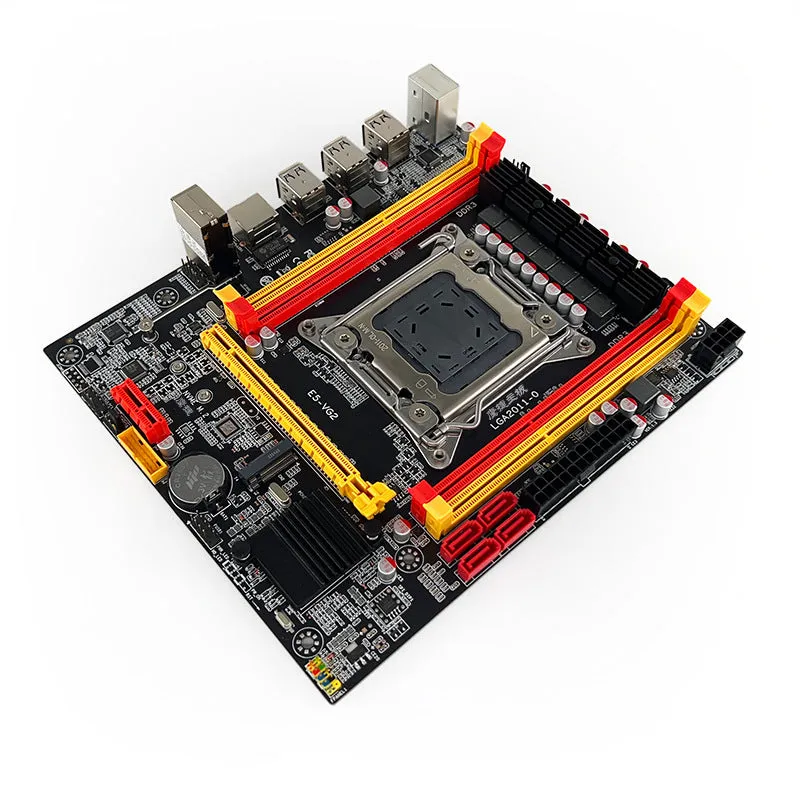
The motherboard's core specification centres on its processor support and memory architecture, which determine the system's fundamental capabilities. These elements work together to provide the processing power and data handling capacity needed for various computing applications.
LGA 2011 CPU Socket
The LGA 2011 socket represents the physical interface for installing compatible processors. This socket type is designed for CPUs with 2011 contact pins, which connect to corresponding pads on the motherboard. When installing a processor, users must ensure it matches this specific socket type to guarantee proper electrical connection and physical fit. The socket's design allows for processor replacement or upgrades within the supported family, though compatibility depends on the specific processor model's requirements beyond just the pin count.
Dual-Channel DDR3 Memory
Memory support comes through a dual-channel architecture for DDR3 modules, which can be installed in pairs to potentially increase data transfer rates between the RAM and memory controller compared to single-channel operation. The motherboard accepts DDR3 memory specifically, not newer DDR4 or older DDR2 modules. With a maximum total capacity of 128GB, users can install substantial amounts of RAM for memory-intensive applications, though actual achievable capacity depends on individual module sizes and slot configuration. This specification indicates the board can handle significant multitasking or specialised computing workloads.
Maximum Memory Capacity
The 128GB maximum memory specification represents the upper limit of RAM the motherboard can theoretically address, though reaching this capacity requires using memory modules of sufficient size in all available slots. This capacity supports demanding applications that benefit from large amounts of system memory, including certain creative software, virtual machines, or data processing tasks. Users should verify compatibility with specific memory module speeds and timings, as not all DDR3 modules may function optimally despite fitting the physical and basic electrical specifications.
Expansion and Storage Options

Beyond core computing components, the motherboard provides interfaces for adding graphics capability and connecting storage devices. These expansion options allow users to tailor the system to specific needs, whether for gaming, content creation, or general productivity tasks.
PCI Express 16X Graphics
The PCI Express 16X slot accommodates discrete graphics cards, which provide dedicated graphics processing separate from any integrated graphics on the processor. This interface offers sufficient bandwidth for contemporary graphics cards at the time of the motherboard's design, supporting gaming, video editing, 3D rendering, or multiple monitor setups. Users can install a single graphics card in this slot to enhance visual performance beyond what integrated solutions typically offer. The slot's physical and electrical specifications follow the PCI Express 16X standard, ensuring compatibility with graphics cards designed for this interface.
M.2 and SATA Storage Interfaces
Storage connectivity comes through two distinct interfaces: M.2 and SATA2.0. The M.2 interface supports modern solid-state drives in a compact form factor, potentially offering higher data transfer speeds than traditional SATA connections depending on the specific M.2 drive's capabilities and the interface implementation. The SATA2.0 ports provide connectivity for standard 2.5-inch or 3.5-inch hard disk drives and solid-state drives, with a maximum theoretical bandwidth of 3 gigabits per second. This dual-interface approach offers flexibility, allowing users to combine fast M.2 storage for operating systems and frequently-used applications with higher-capacity traditional drives for data storage.
USB and Network Connectivity
The motherboard includes six USB ports for connecting peripherals like keyboards, mice, external storage, printers, and other devices. These ports follow USB standards current at the time of the board's design, though the specific USB version (2.0, 3.0, etc.) isn't detailed in the source material. The integrated network interface controller provides wired Ethernet connectivity without requiring a separate expansion card, simplifying network setup for most users. This onboard NIC handles standard network protocols for internet access and local network communication.
Assembly and Practical Considerations
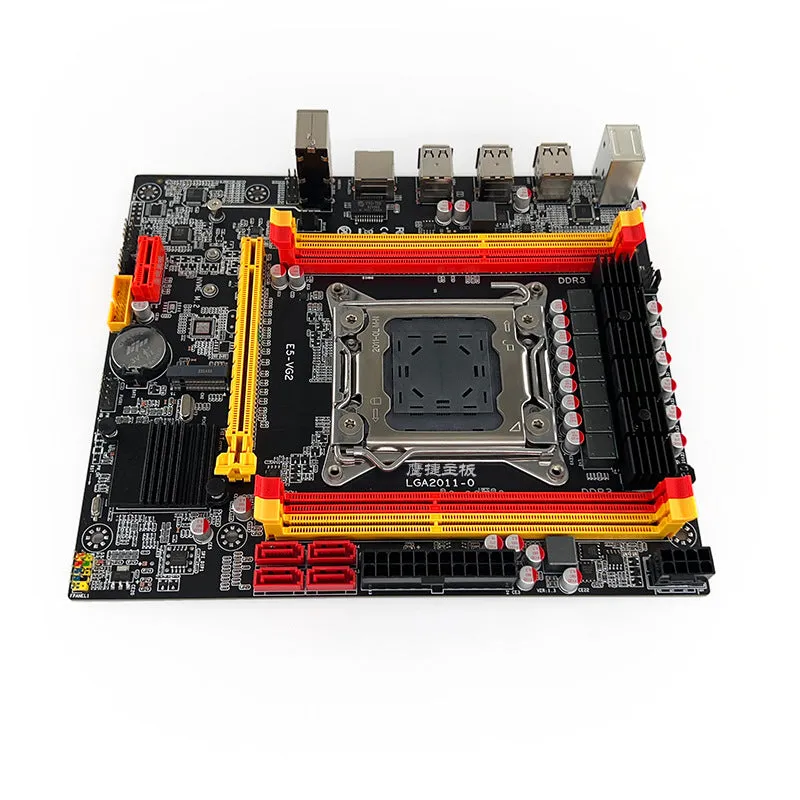
Building a complete system requires understanding how this motherboard integrates with other components and what practical considerations apply during assembly and use. These factors influence the building process, compatibility decisions, and long-term system functionality.
Compatibility and Component Selection
Selecting compatible components represents the first step in building a system around this motherboard. The LGA 2011 socket requires a specifically compatible processor, not just any processor with 2011 pins, as chipset and BIOS support also factor into compatibility. Memory must be DDR3 type, with modules preferably matched in pairs to utilise the dual-channel architecture effectively. Graphics card selection should consider physical clearance within the computer case and power supply requirements, as the motherboard provides the interface but not the supplemental power connections some high-performance cards require. Storage device choices should match the available interfaces, with M.2 drives requiring appropriate physical mounting in the case.
Installation and Physical Mounting
Motherboard installation follows standard procedure: aligning the board with standoffs in a compatible computer case, securing it with screws, and connecting front-panel headers, power cables, and data cables. The included baffle (I/O shield) installs in the case's rear cutout before mounting the motherboard, providing proper grounding and finishing for the rear ports. The SATA cable included in the package connects storage drives to the motherboard's SATA ports, though additional cables may be needed for multiple drives. Proper static electricity precautions should be observed during all handling and installation to prevent damage to sensitive electronic components.
System Configuration and Use
After physical assembly, system configuration typically involves entering the BIOS or UEFI setup utility to configure hardware settings, enable specific features, or adjust boot priorities. Memory may need configuration for optimal dual-channel operation, though many systems detect this automatically. Storage devices generally require initialization and partitioning within the operating system installation process. The onboard network interface typically works with standard drivers included in modern operating systems, though manufacturer-provided drivers might offer enhanced functionality or stability. Regular system maintenance involves ensuring proper cooling for all components and keeping BIOS and drivers updated as needed.
